A model can perform well in a notebook and still disappoint in production. Training takes too long because data arrives slowly. Responses become sluggish when several teams use the application. A successful experiment cannot be reproduced because nobody recorded the dataset and software versions.
AI infrastructure solutions address these problems by bringing compute, data, software, and operations together. The right setup depends on what you are building. A forecasting model, a document assistant, and a large model training job do not need the same equipment or services.
This guide explains the main components, deployment choices, costs, and selection criteria. It also covers five platforms that solve different parts of the infrastructure problem, with product references checked on October 12, 2026.
Quick takeaway: Choose AI infrastructure around a measurable workload. Balance compute with the data and network capacity that feeds it, and include security, monitoring, and maintenance in the design from the start.
What Are AI Infrastructure Solutions?
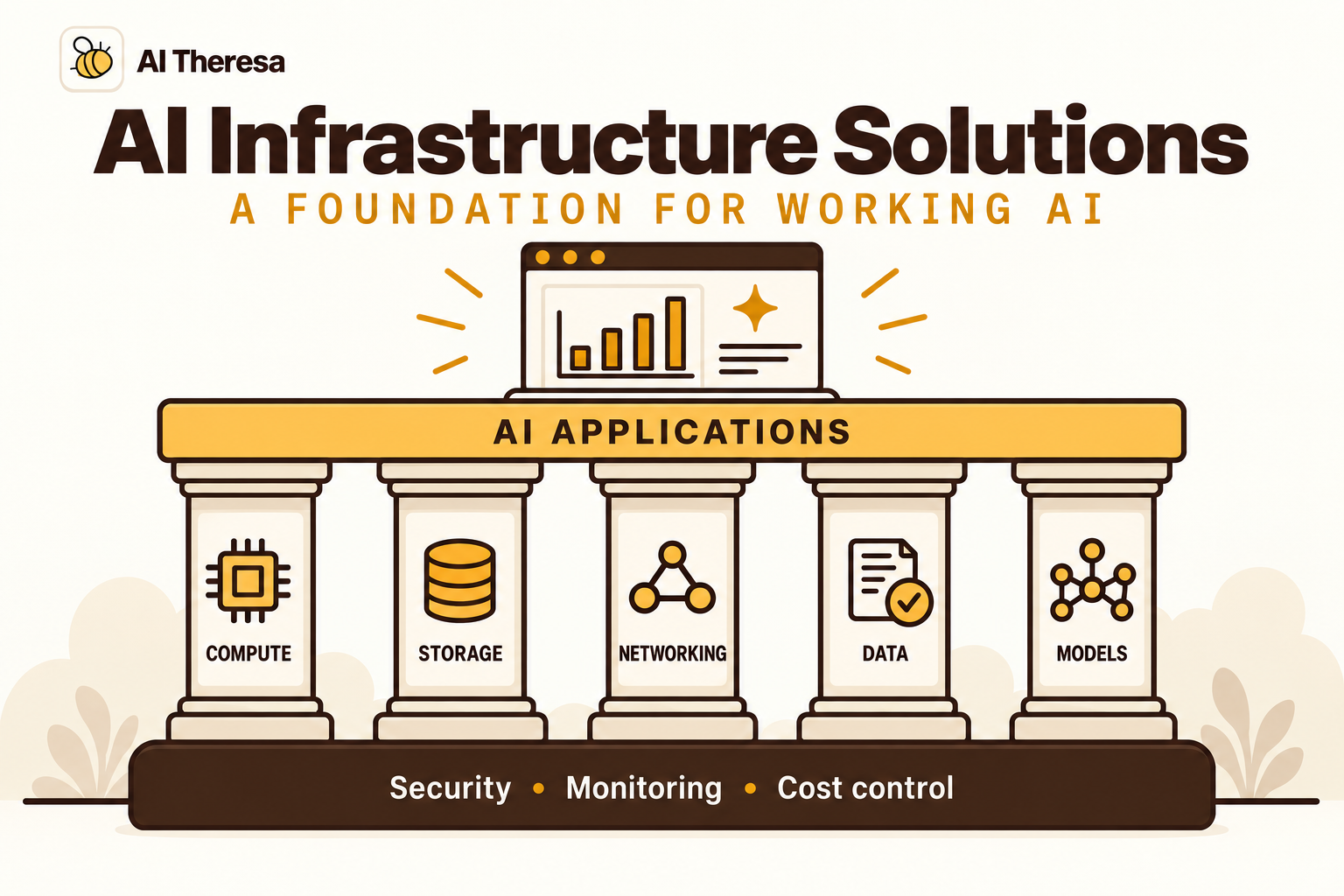
AI infrastructure solutions are the hardware, software, and managed services used to develop, deploy, and operate AI systems. They cover everything from preparing data and running experiments to serving predictions and maintaining the application after launch.
Some solutions provide physical infrastructure, such as servers, accelerators, storage, and network equipment. Others provide a software platform for scheduling workloads, tracking models, or controlling access. Cloud services can package several of these responsibilities into a managed environment.
The term covers more than generative AI. A retail demand forecast, an image inspection system, and a language-model application all need infrastructure, though their resource requirements differ considerably.
It also helps to distinguish three kinds of work. Training learns model parameters from data. Fine-tuning adapts an existing model through additional training. Inference uses a model to produce an output. Infrastructure suitable for occasional training may be an expensive or unreliable way to serve continuous requests.
An application that calls a hosted model API may not need to operate model-serving hardware at all. It still needs application compute, integrations, data storage, and controls over what it sends to the provider. Outsourcing inference changes the responsibilities; it does not remove the surrounding system.
Get Started with Theresa for FREEWhy Is AI Infrastructure Important?
Infrastructure determines whether a useful model can become a dependable business application.
It turns experiments into repeatable work
Teams need to know which data, code, and settings produced a result. Consistent environments and versioned artifacts make it possible to compare experiments, investigate a regression, or restore a previous model. Without that record, a promising experiment can become difficult to maintain.
It affects the user experience
A customer-facing assistant needs predictable response times. A nightly forecasting process needs to finish before planners start work. An inspection system may need to keep operating when its connection to a remote service is interrupted. These requirements influence where the system runs and how it handles failure.
It determines the cost of useful output
Expensive compute delivers little value while waiting for data. Conversely, an underpowered serving environment can create queues, timeouts, and repeat requests. The relevant cost is what it takes to produce acceptable results at the required speed, including the people and services that keep the system running.
Buying more hardware is only one possible response. Fixing a slow pipeline or choosing a smaller adequate model may solve the problem more directly.
Get Started with Theresa for FREEKey Components of AI Infrastructure
Think of the infrastructure as a connected system. Improving one component helps only if another component does not become the limiting factor.
Compute and memory
CPUs handle application logic, data preparation, and many traditional machine-learning tasks. GPUs and other accelerators can support workloads with substantial parallel computation, including deep learning. The appropriate choice depends on the model, data, software support, and response-time target.
Memory capacity matters alongside processing speed. A workload must accommodate its model, working data, and execution overhead. Training and inference use memory differently, so a configuration that fits one may not fit the other.
Before scaling hardware, inspect how it is used. For example, PyTorch's performance guide describes asynchronous data loading to overlap preparation with training. That illustrates why CPU work and data movement can matter even in a GPU-based job.
Storage and networking
Storage holds raw data, prepared datasets, model artifacts, checkpoints, and operational records. Different tasks need different access patterns: scanning a large training dataset is unlike retrieving a few records for an interactive request.
Check throughput and latency as well as capacity. Model downloads, checkpoint writes, and concurrent training jobs can place very different demands on the same storage system.
Networking connects compute to data and, in distributed workloads, connects workers to one another. Moving a dataset across locations may add delay and transfer cost. Adding accelerators will not necessarily speed up a job if communication or storage is already the bottleneck.
Data pipelines and governance
Pipelines collect, validate, and prepare information for training or inference. They should make missing fields, unexpected formats, and stale inputs visible. A production model needs the same definitions and transformations that were used when it was evaluated.
Governance records where data came from, who may use it, and how long it should remain available. Retrieval indexes, caches, and evaluation datasets also need access and retention rules; copying information into an AI system should not broaden its audience by accident.
Models, serving, and orchestration
A model registry records approved model versions and associated metadata. Serving software loads the selected version and exposes it to applications. Scheduling and orchestration coordinate preparation, training, evaluation, and deployment tasks.
These tools help teams make controlled changes. A release should identify the model and the application configuration together. Otherwise, a changed prompt, preprocessing step, or retrieval index can alter behavior while the model version appears unchanged.
Security and observability
Identity controls determine which people and services can access data, run workloads, or publish a model. Secrets management keeps credentials out of shared notebooks and model inputs. Separate development and production access so an experiment cannot casually modify a live system.
Monitoring needs both technical and application signals. Track resource use, errors, and latency alongside model quality, data freshness, and completed tasks. A server can be healthy while its predictions have become less useful.
Get Started with Theresa for FREECloud vs. On-Premises AI Infrastructure
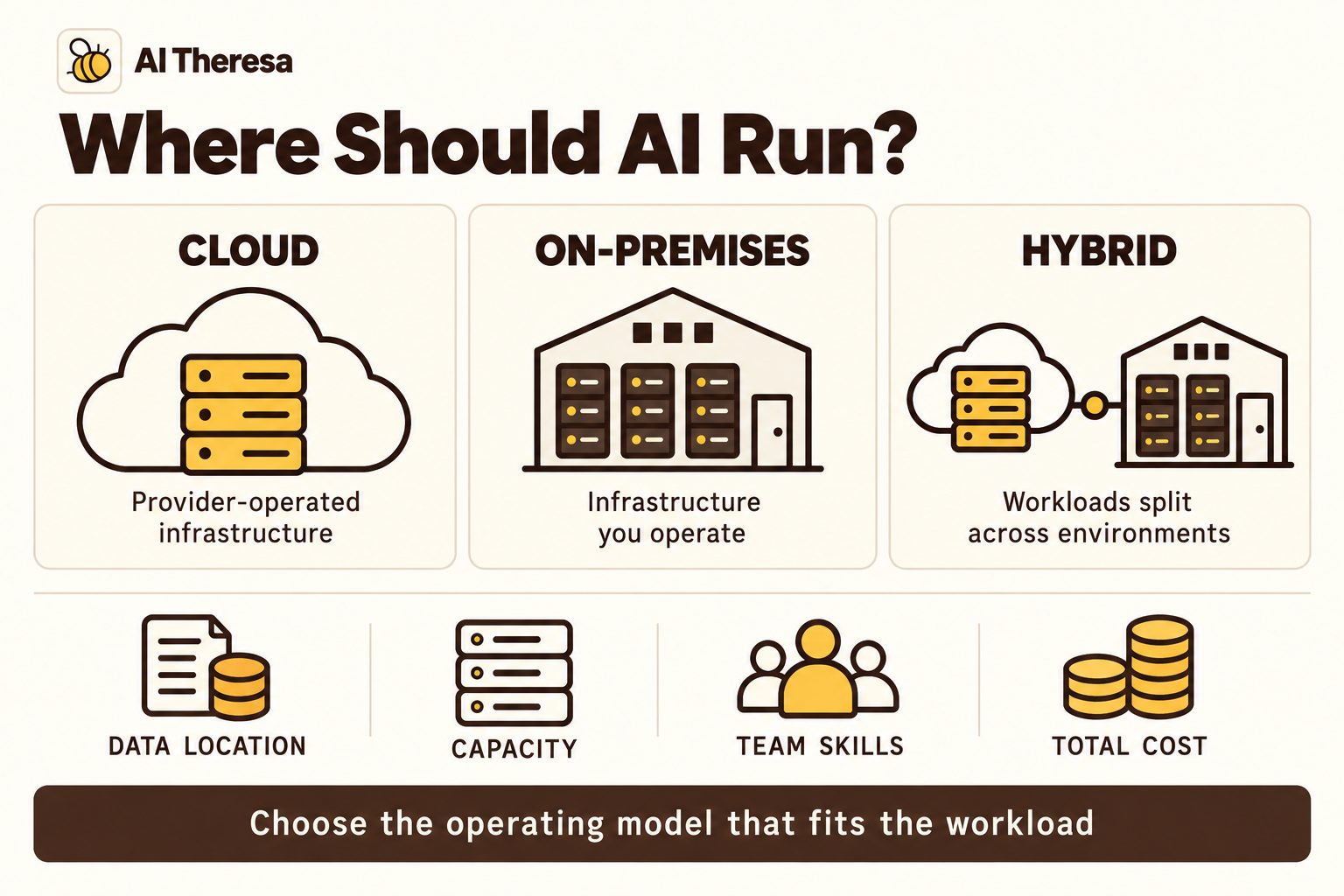
Cloud and on-premises deployments distribute responsibility differently. Neither arrangement guarantees lower cost, stronger security, or better performance for every workload.
| Factor | Cloud | On-premises |
|---|---|---|
| Capacity | Provision resources within service availability and quotas. | Use installed capacity; expansion requires procurement and deployment. |
| Spending | Pay for selected services and usage, with optional commitments. | Fund equipment and ongoing facilities, software, and operations. |
| Control | Work within provider interfaces and available configurations. | Control the equipment and local environment directly. |
| Operations | Provider responsibilities vary by managed service. | Your organization arranges hardware operation and maintenance. |
| Data placement | Select suitable regions and review processing and transfer paths. | Keep local processing close to local systems, while checking external dependencies. |
Cloud is worth evaluating when demand varies, the team wants managed services, or a project needs capacity before a hardware purchase is justified. Availability still needs checking: a service listing does not guarantee access to the required accelerator in your chosen region.
On-premises infrastructure can suit sustained workloads, existing facilities, or local processing requirements. Its economics depend on utilization and the organization's ability to operate the equipment. Include power, cooling, replacement capacity, and staffing alongside the purchase price.
A hybrid design splits work across environments. A manufacturer might process production data locally while running selected experiments in the cloud. The split must account for identity, data synchronization, and recovery when connectivity fails. Hybrid can solve a real placement problem, but it also creates another boundary to operate.
Get Started with Theresa for FREEAI Infrastructure Challenges
The hardest problems often occur between components rather than inside a single product.
Capacity does not always match demand
An inference service may receive bursts while training jobs occupy shared hardware. A model may fit in memory during a test but fail with longer inputs or larger batches. Capacity planning needs representative input sizes and workload overlap, not just an average request count.
Separate priorities where necessary. An exploratory experiment should not consume resources reserved for a production service with a response-time commitment.
Data and software change independently
A source system can change a field's meaning without breaking its schema. A library update can affect model loading or numerical behavior. These changes can reach production through different teams and release schedules.
Track dependencies and preserve enough context to reproduce a failure. Monitor the assumptions the model relies on, including the freshness and meaning of its inputs.
Costs spread across the system
Unused endpoints, duplicate datasets, retained checkpoints, and verbose logs can accumulate quietly. A low compute rate does not reveal the full operating bill.
For generative applications, longer context and repeated model calls may change spending even when user traffic is stable. Connect costs to workloads and owners so the team can distinguish useful growth from waste.
Skills and security require ongoing attention
Operating accelerator hardware, maintaining data pipelines, and supporting an application are different jobs. Gaps between those responsibilities can leave incidents unresolved.
Security also extends beyond the network boundary. Review model artifacts, packages, and containers before deployment. Applications that consume external documents or invoke tools need controls over those inputs and actions, even when they run on private infrastructure.
Get Started with Theresa for FREEAI Infrastructure Best Practices
Good infrastructure decisions come from observing a real workload and making its behavior understandable.
Profile before expanding
Measure where time goes: data preparation, loading, model execution, or network calls. Inspect memory and queue behavior at realistic concurrency. Add resources when the measurements support that change, and verify the outcome afterward.
Batching or model optimization may improve efficiency, but check quality and latency. A larger batch can increase throughput while making an individual user wait longer.
Make deployments reproducible
Version datasets or their references, model artifacts, preprocessing code, dependencies, and deployment configuration. Use repeatable environment provisioning so staging resembles production closely enough to expose problems.
Keep a known working release available. Test that you can load its artifacts and configuration; an archived filename alone is not a recovery plan.
Build security into ordinary workflows
Use restricted service identities and separate permissions for reading data, training, and publishing. Protect stored data and traffic with appropriate encryption and key management. Apply retention limits to prompts, logs, and temporary datasets as well as primary storage.
Make the approved route convenient. If engineers must bypass the platform to access necessary tools, investigate the missing capability rather than treating each workaround as an isolated event.
Test recovery and set operating limits
Practice restoring checkpoints and recovering from a failed dependency. For interrupted training, define how much work may be lost. For inference, decide whether requests should wait, use a tested fallback, or return a clear failure.
Set workload budgets, execution limits, and alerts with named owners. Review costly outliers as well as averages. Remove abandoned resources and retire models or pipelines that no longer have a maintained business purpose.
Get Started with Theresa for FREEHow to Choose an AI Infrastructure Solution
Begin with the application, then evaluate the products that could support it.
Write a short workload specification covering the model approach, data volume, input sizes, expected concurrency, acceptable latency, and recovery needs. Identify whether you are training, fine-tuning, calling a hosted model, or serving your own model. These choices can change the shortlist substantially.
Next, map the existing environment. Include data systems, identity services, network boundaries, and staff expertise. A solution that reuses dependable capabilities may be more practical than one with impressive features that require a new operating team.
Compare total costs over a consistent period:
| Cost area | Questions to include |
|---|---|
| Compute and models | How much capacity or API usage is needed, including idle time and retries? |
| Data and connectivity | What will storage, queries, backups, and transfers cost? |
| Software and support | Which subscriptions, licenses, and support arrangements apply? |
| Facilities and people | Who pays for power, cooling, maintenance, and operational coverage? |
An illustrative utilization check can expose a misleading estimate. If equipment is available for 720 hours in a month but performs useful work for only 180, fixed monthly costs are spread across 180 productive hours. The effective cost per productive hour is four times the figure obtained by dividing those fixed costs by all 720 hours. This is arithmetic, not a prediction that cloud or owned hardware will be cheaper.
Run a pilot using your data and the proposed security configuration. Evaluate result quality, end-to-end performance, and the effort needed to deploy and troubleshoot. Include an interrupted job and a restore exercise.
Finally, examine the exit path. Confirm how you can export models, data, and operational records, and identify provider-specific dependencies. If connecting the systems is the main obstacle, FDE as a Service can help with implementation, provided the engagement includes a practical handover to your team.
Get Started with Theresa for FREEAI Infrastructure Solutions and Platforms
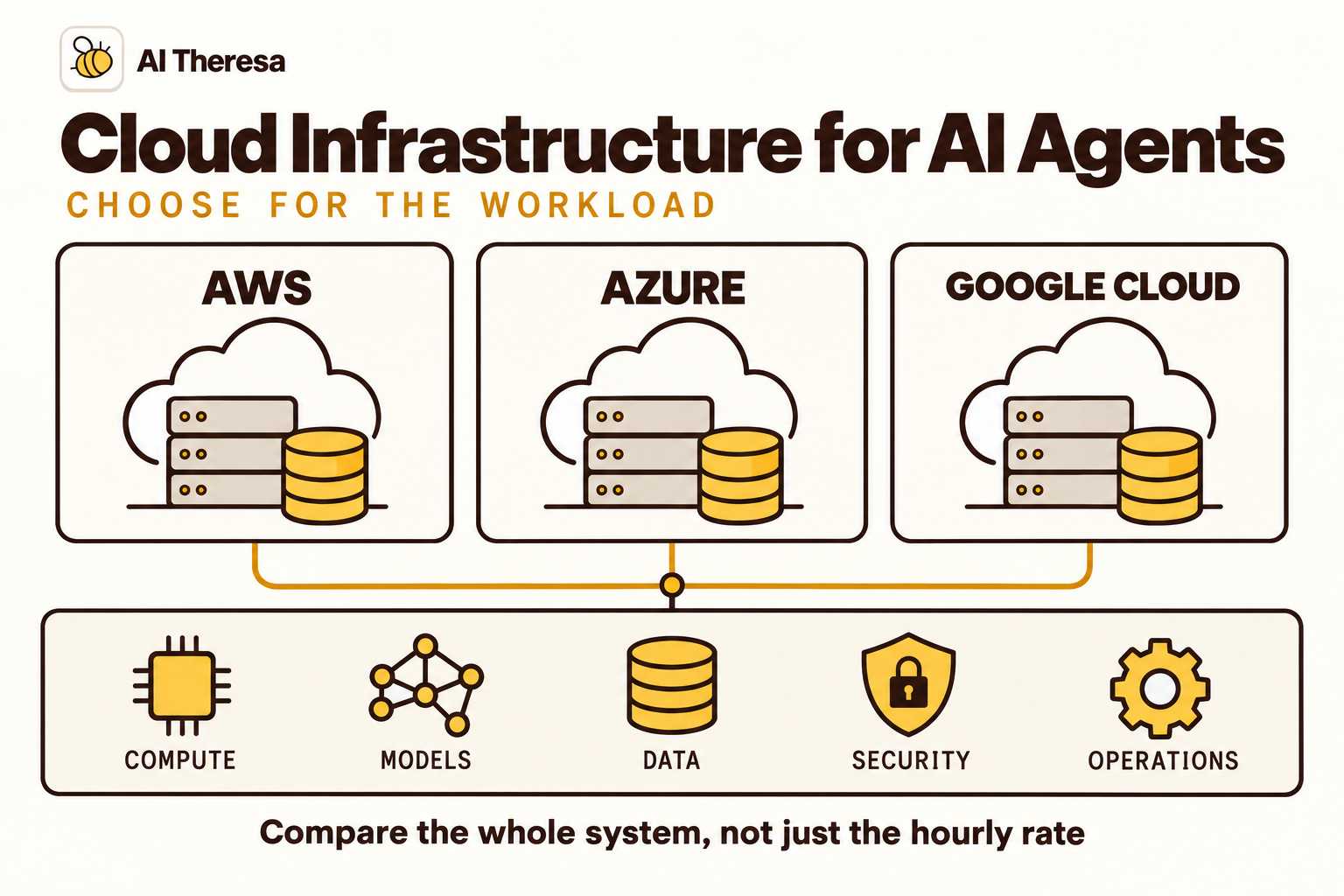
These five options address different layers of AI infrastructure. They are a shortlist for evaluation, not interchangeable packages or a performance ranking. The fit suggestions below are based on the capabilities described in the linked documentation.
1. Amazon SageMaker AI
Amazon SageMaker AI is a managed service for building, training, and deploying machine-learning models. AWS documents support for custom algorithms and frameworks, distributed training, and hosted deployment environments.
It is worth evaluating when a team needs managed ML workflows within AWS and wants control over its own models. Distinguish the SageMaker AI service from the broader SageMaker platform, which includes additional data and analytics capabilities.
Test the training and inference configurations separately. Include preparation jobs, storage, serving capacity, and operational support in the estimate. Managed infrastructure reduces some administration, while your team remains responsible for data quality and model acceptance.
2. Microsoft Foundry
Microsoft Foundry brings models, agents, and tools into an Azure environment with capabilities for evaluation, tracing, monitoring, and access management. Its model catalog supports different deployment approaches, including managed compute and serverless access where available.
Consider it for teams building model-based applications within an existing Azure environment. The practical benefit depends on how well the selected services connect to your data and identity arrangements.
Check the exact model, deployment type, region, and network path. A capability available elsewhere in the platform may not apply to the chosen configuration. Treat each external connection as part of the deployment review.
3. Google Gemini Enterprise Agent Platform
Gemini Enterprise Agent Platform, described by Google as an evolution of Vertex AI, combines tools for building, deploying, governing, and optimizing agents and model-based applications. Its documentation covers model access, development tools, and management of deployed systems.
It is a useful candidate when your data and AI development already sit in Google Cloud. Evaluate the particular services needed for the workload rather than adopting the full platform by default.
For model development, review training and serving requirements; for agent applications, review execution and state management. Confirm security and location support for each selected service, and measure the full data-to-result path during the pilot.
4. NVIDIA AI Enterprise
NVIDIA AI Enterprise is a software platform for AI across cloud, data-center, and edge environments. Its documented components include application software such as NIM microservices and infrastructure-management tools for GPU workloads.
It differs from renting a complete managed cloud application environment. Evaluate it when your organization needs a supported software stack around NVIDIA-based infrastructure, whether that hardware is owned or supplied through a cloud arrangement.
Check hardware and software compatibility, support terms, and licensing for the proposed deployment. The software does not remove the need to provide compute capacity, networking, storage, and people who can operate the overall environment.
5. Databricks
Databricks' data science and ML platform covers data preparation, model development, deployment, and monitoring. Its capabilities include MLflow-based experiment tracking and governance of ML assets through Unity Catalog.
It is worth considering when the difficult part of AI delivery is connecting models to established data pipelines and shared analytics work. Keeping preparation, experiments, and governance in a familiar environment may simplify the workflow for an existing Databricks team.
Assess the relevant compute and serving options against the workload. Include platform consumption and any separately billed infrastructure in the estimate, and confirm how models and datasets move between development and production. It is a data and AI platform, not a replacement for every underlying infrastructure component.
Get Started with Theresa for FREEConclusion
AI infrastructure solutions connect useful models to dependable applications. The right design balances compute with storage, networking, and data, while giving the team a workable way to secure, monitor, and maintain the system.
Start with a specific workload and measure what it needs. Compare cloud, on-premises, and hybrid arrangements using the same performance and cost assumptions. Then test the complete solution, including recovery and handover. A system your team understands and can operate is a stronger foundation than a collection of impressive components that have never been tested together.