Ask a language model to explain a late shipment, and it can turn the information you provide into a clear customer response. Ask an agent to investigate that shipment, and it might look up the order, check the carrier, identify a missing address, and prepare the next action.
The difference matters when you are deciding what to build or buy. A good answer and a completed business task have different requirements. They also need different tests.
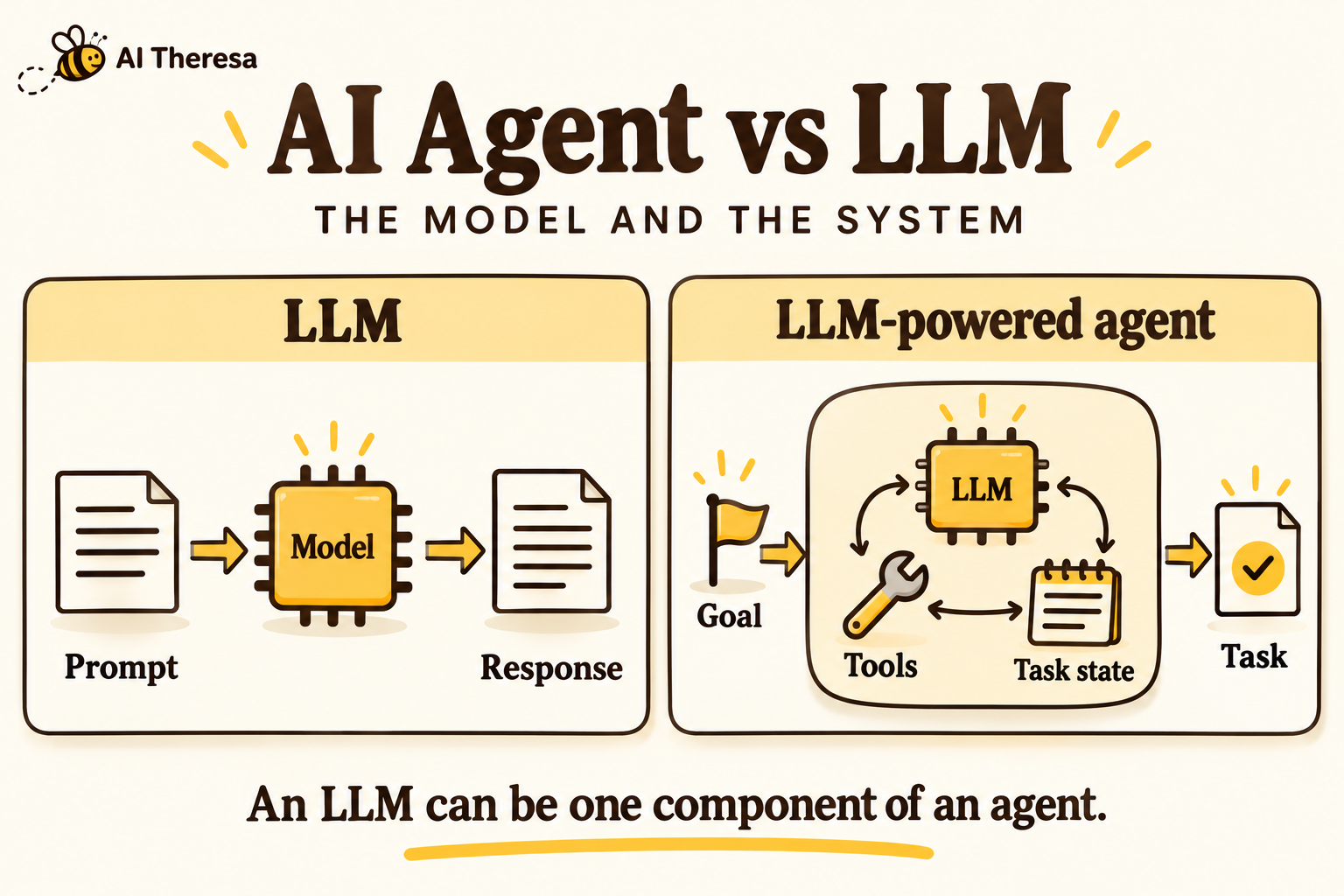
The phrase “AI agent vs LLM” can make these technologies sound like competing products. They usually occupy different parts of an application: the LLM provides language capabilities, while the agent organizes work around a goal.
Quick takeaway: An LLM generates outputs from context. An LLM-powered agent combines that capability with tools, task state, and a process for choosing and checking actions. Use the simplest approach that can reliably complete the work.
What Is a Large Language Model (LLM)?
A large language model is a machine learning model trained on large amounts of data to recognize patterns in language and generate useful outputs. Those outputs can include prose, code, classifications, or structured data.
Many generative LLMs are trained to predict the next token, a unit that can be a word fragment or punctuation mark. Training adjusts the model’s parameters; later, at inference time, the model uses those learned parameters and the supplied context to produce a response. IBM’s introduction to LLMs explains this foundation.
In a business application, an LLM might summarize a meeting, extract fields from an invoice, or draft a reply. The application supplies the instructions and relevant material. A person or another software component decides what happens to the result.
The model itself is not an order database or a source of guaranteed facts. Its training data cannot establish whether a particular shipment arrived this morning. That requires current information supplied through the application.
An LLM also should not be confused with the interface around it. A chat product may contain search, file access, saved preferences, and tools. Those features belong to the larger product, even when they appear in the same conversation.
For example, a document assistant can retrieve relevant policy passages before asking an LLM to answer. This is retrieval-augmented generation, or RAG. Retrieval improves access to relevant information, but it does not automatically make the application an agent.
Get Started with Theresa for FREEWhat Is an AI Agent?
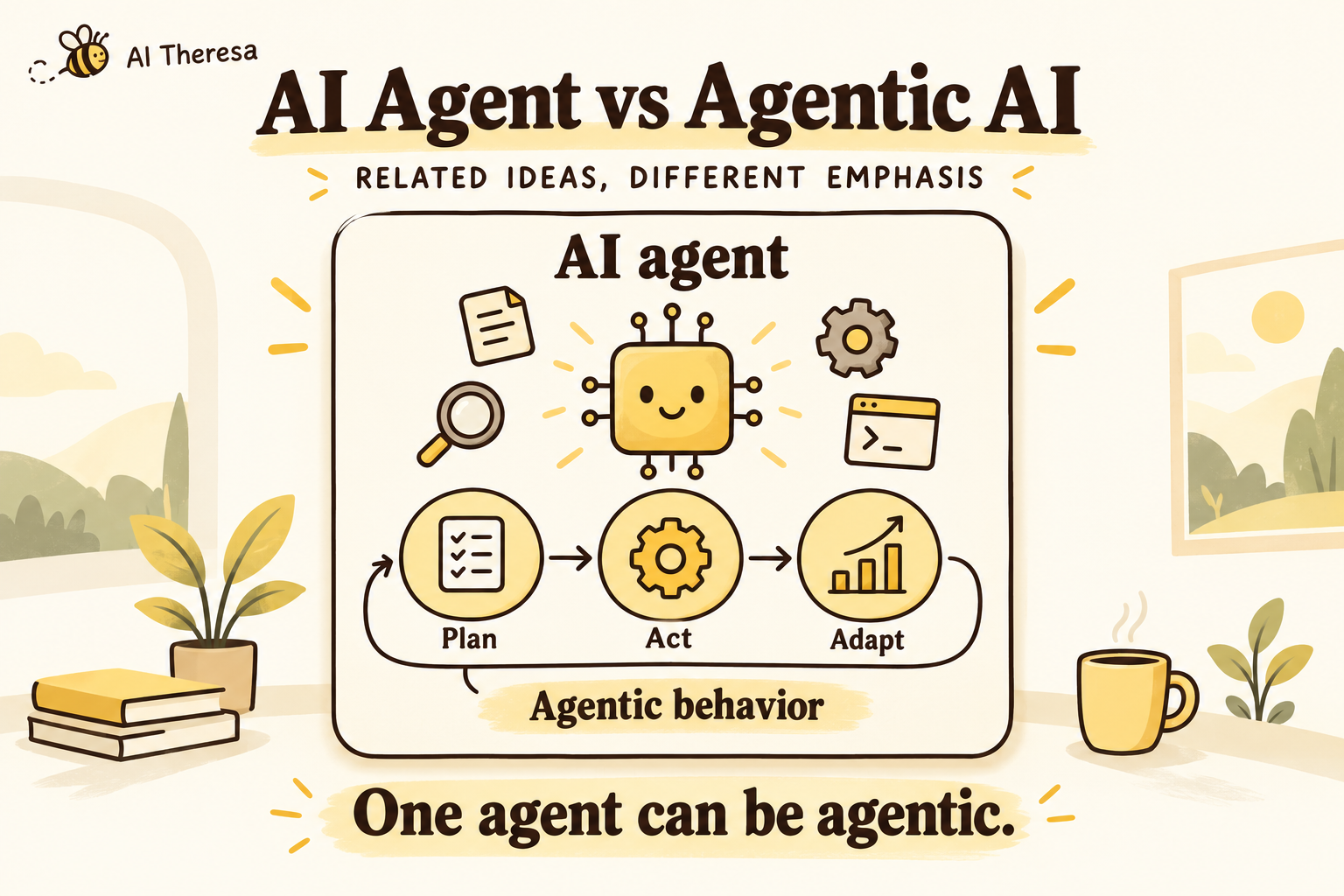
An AI agent is a system that observes information and selects actions to pursue a goal within an environment. In modern business software, an LLM often helps it interpret requests and choose what to do next.
Consider an agent asked to investigate an unresolved invoice. It might search for the invoice, inspect its approval status, discover that a purchase order is missing, and request that document. What it finds changes its next step.
Definitions vary across products. A useful distinction is whether the software follows a predetermined sequence or lets a model select parts of the sequence. Anthropic describes this difference in its guide to workflows and agents.
The amount of freedom is a design choice. An agent can investigate a problem without permission to change records. It can prepare an action and wait for approval. It does not need unrestricted access or continuous operation to be useful.
The surrounding application remains responsible for execution. It supplies tools, maintains task state, checks permissions, and determines when a run must stop. Calling something an agent does not make those engineering responsibilities disappear.
Get Started with Theresa for FREEAI Agent vs LLM: Key Differences
A model produces outputs; an agent manages a task
An LLM call receives context and returns an output. An agent may make several such calls while pursuing an outcome. If you need a summary, the output may be the whole deliverable. If you need an appointment rescheduled, the system must also establish availability and confirm the booking changed.
Actions require connections to real systems
A model can generate a proposed tool call, but another component executes it. Anthropic’s tool-use documentation distinguishes tools executed by the application from tools executed by the provider. Either way, generated text alone does not update a CRM record.
This is why asking a model to “send the email” is different from giving an application an authenticated email tool.
Memory depends on the application
An agent can retain a case identifier, completed steps, and unresolved questions between actions. Persistent memory is optional and must be implemented. A long chat history is not the same as a durable record that survives a failed process.
Likewise, ordinary conversations do not automatically retrain a model’s weights. Supplying context, saving preferences, and training a model are separate mechanisms.
Reliability is measured at different levels
An accurate explanation can still accompany a failed action. An agent might correctly describe a refund while its payment request times out. Evaluation therefore needs to inspect the resulting system state as well as the final message.
Costs differ for the same reason. An agent run can include repeated inference, database access, external APIs, and retries. Compare the cost of a completed task, including review and cleanup, rather than the price of one response.
Get Started with Theresa for FREEAI Agent vs LLM: Side-by-Side Comparison
The table compares a direct LLM interaction with an LLM-powered agent. Individual products can combine both.
| Dimension | Direct LLM interaction | LLM-powered agent |
|---|---|---|
| Main purpose | Produce an answer or transformation | Pursue a task through selected actions |
| Input | Instructions and supplied context | Goal, context, available tools, and current task state |
| Typical output | Text, code, labels, or structured data | A result, proposed action, completed action, or handoff |
| Next-step selection | Usually handled by the user or application code | Delegated partly to the model |
| External access | Supplied through the surrounding application | Tools are available within explicit permissions |
| State | Whatever context the application provides | Tracks progress across steps; persistence requires storage |
| Completion test | Does the output meet the request? | Did the intended outcome occur within the rules? |
| Main failure modes | Incorrect facts, omissions, unsuitable output | Those failures plus wrong actions and incomplete execution |
| Operating cost | Often easier to estimate per request | Depends on the path, tools, retries, and review |
| Example | Summarize a support ticket | Investigate it and prepare or perform an allowed resolution |
A conventional workflow sits between these columns. It can call an LLM, validate its output, and update a record through a fixed sequence. That is often sufficient when the next step is already known.
Get Started with Theresa for FREEHow AI Agents Use LLMs for Reasoning and Decision-Making
In an LLM-powered agent, the model translates the current situation into a proposed next step. The application turns that proposal into controlled execution.
Take an illustrative customer request: “My replacement order still hasn’t arrived.” The task is to investigate the replacement and prepare an appropriate response.
Read the request and relevant context
The application supplies the customer’s message, permitted account information, and tool descriptions. The model identifies what is missing: perhaps the replacement order number or the latest carrier event.
Context should stay relevant. Passing an entire customer history can bury the useful detail and expose information the task does not need.
Choose a next step
The model might request an order lookup. After seeing the result, it could choose a carrier lookup or ask the customer for clarification.
Reasoning here means working through the information needed to select an action. It does not guarantee correctness. A persuasive explanation is not evidence that the order exists or that the proposed resolution follows company policy.
Validate and execute
The runtime checks the requested tool and its arguments. Access controls establish which account can be queried; business rules determine which changes are allowed. An approval gate can require a person to authorize a replacement before the tool runs.
These checks should operate in code or the connected service. A prompt that asks the model to follow policy is useful guidance, but it is not an access-control mechanism.
Inspect the result
The tool returns evidence: an order record, a carrier event, or an error. The agent uses that result to continue, finish, or ask for help.
If a write request times out, the application should check whether it succeeded before repeating it. Otherwise, a retry could create a second replacement. Keeping action identifiers and checking existing records helps distinguish unfinished work from duplicated work.
Set a maximum number of tool calls and a time budget for each run. If the investigation reaches either limit, return the findings and unresolved question to a person instead of repeatedly trying the same unsuccessful search or action.
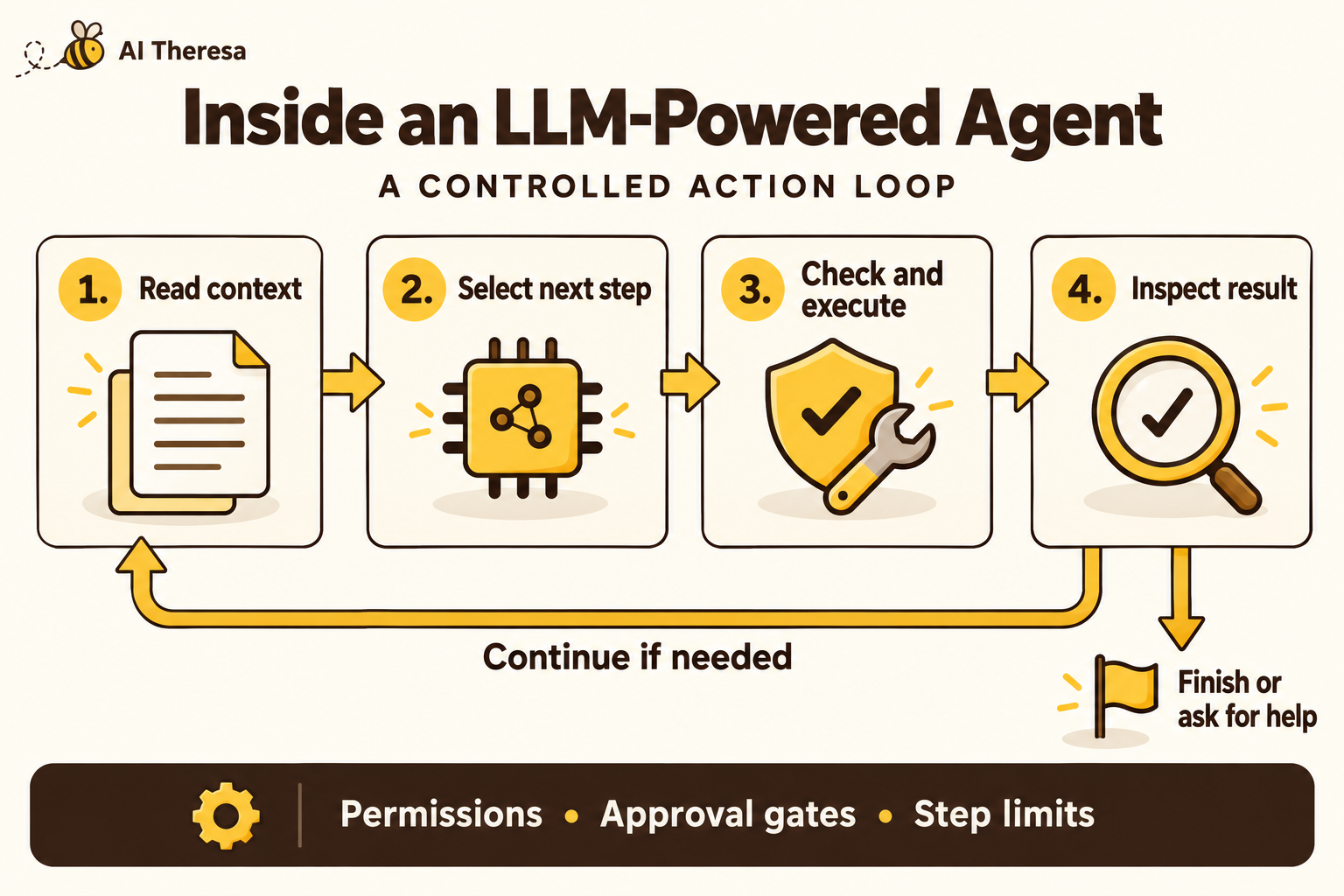
This loop is useful when the path depends on discoveries along the way. Our guide to agentic workflow automation covers how to connect those decisions to a larger business process.
Get Started with Theresa for FREEAI Agent vs LLM: Real-World Examples
Software development: explaining code versus changing it
An LLM can explain a function or propose a patch from supplied code. A developer still has to apply the change and see whether it works.
GitHub documents a broader agent experience: Copilot cloud agent can inspect repositories, edit files, and run tests and linters. The model participates in a working environment with feedback from the actual code.
For a bug fix, that feedback matters. An apparently sensible patch may fail because a neighboring function relies on the old behavior. Reading the failure and revising the patch is part of the task. Passing tests still does not replace human review of whether the change is appropriate.
Customer service: drafting a reply versus resolving a request
An LLM can rewrite a support response into clearer language. That task can be completed without access to order management.
An agent handling the underlying request needs more. Salesforce’s Agentforce service examples describe using configured actions to help resolve customer issues. Its action-building documentation includes checking order status and resetting a device.
These capabilities depend on the configured integrations and permissions. A fluent conversation cannot substitute for the correct order lookup or successful service action.
Internal operations: summarizing a case versus investigating it
Imagine an employee onboarding request with an incomplete equipment order. A summary tool can explain what the submitted documents say. An agent could inspect the request, find the missing shipping address, and prepare a message asking for it.
This is an illustrative workflow, not a claimed customer result. Its value would come from removing the back-and-forth needed to gather information. If every request follows the same checklist, a fixed workflow with an LLM extraction step may handle it just as well.
Get Started with Theresa for FREECan AI Agents Work Without LLMs?
Yes. The concept of an agent predates modern language models. An agent can select actions using rules, search, planning, or a policy learned through reinforcement learning.
Google DeepMind’s AlphaGo is a concrete example. It combined neural networks and search to select moves in Go; it did not need an LLM to understand a conversational request.
In a more conventional setting, a software agent might choose an action from a small set of rules based on sensor readings. A learned controller might select movements from observations. Neither task necessarily benefits from generating language.
LLMs are especially useful when the input is messy, instructions arrive in natural language, or a task involves interpreting documents and unfamiliar situations. They offer a flexible way to connect those inputs to software tools.
That flexibility has a cost. For a tightly specified decision with a small number of inputs, ordinary code or a specialized model may be easier to validate. The right question is what the task requires, not whether every component uses the newest model.
Get Started with Theresa for FREEWhen Should You Use an LLM vs an AI Agent?
Use a direct LLM interaction for a bounded output
Start here when the deliverable is a draft, summary, classification, or extraction, and the necessary material is available. A person can inspect the result before it is used.
Examples include turning notes into a meeting summary, identifying themes in survey responses, and preparing a first draft of a help article. Clear input and output requirements make these tasks easier to compare against a baseline.
Use a fixed workflow when the sequence is stable
An invoice pipeline may always extract fields, validate totals, and send exceptions to a reviewer. The extraction can use an LLM while the remaining steps follow ordinary rules.
There is little benefit in asking a model to rediscover that sequence for every invoice. You can introduce agent behavior later if exceptions require investigation that cannot be captured economically in fixed branches.
Use an agent when findings determine the next action
An agent fits tasks where the system must decide what information to gather next, use different tools, and adapt to what it finds.
Start with a narrow outcome, such as preparing a researched answer to an account discrepancy. Keep consequential changes behind approval until the system has earned the required level of trust through testing and observed performance.
Get Started with Theresa for FREEHow to Choose the Right AI Approach
Begin with a sample of real work, including cases that are incomplete or ambiguous. Write down what completion means and what evidence proves it. “Help with account issues” is difficult to test; “identify the conflicting records and prepare a correction for review” is much clearer.
Build a simple baseline first. It might be a prompt with retrieval, a conventional workflow, or the existing manual process. Compare an agent against that baseline using the same cases.
Measure more than output quality. Track successful completion, incorrect actions, time to resolution, and the work left for a person. A system that produces impressive responses but creates a long review queue may not improve the process.
Next, examine integration readiness. Can the application reliably identify the right customer? Do tools return clear errors? Can it check whether an update succeeded? An agent cannot compensate indefinitely for inconsistent records and unreliable APIs.
For security, decide which data each task can access and which actions require approval. Treat retrieved documents and tool results as potentially untrusted inputs. Instructions embedded in a document should not give that document authority to change the agent’s goal or permissions.
Finally, assign an owner for failures and ongoing evaluation. Model changes, revised policies, and new document formats can all alter behavior. Keep enough execution history to investigate an incident and reproduce the relevant conditions.
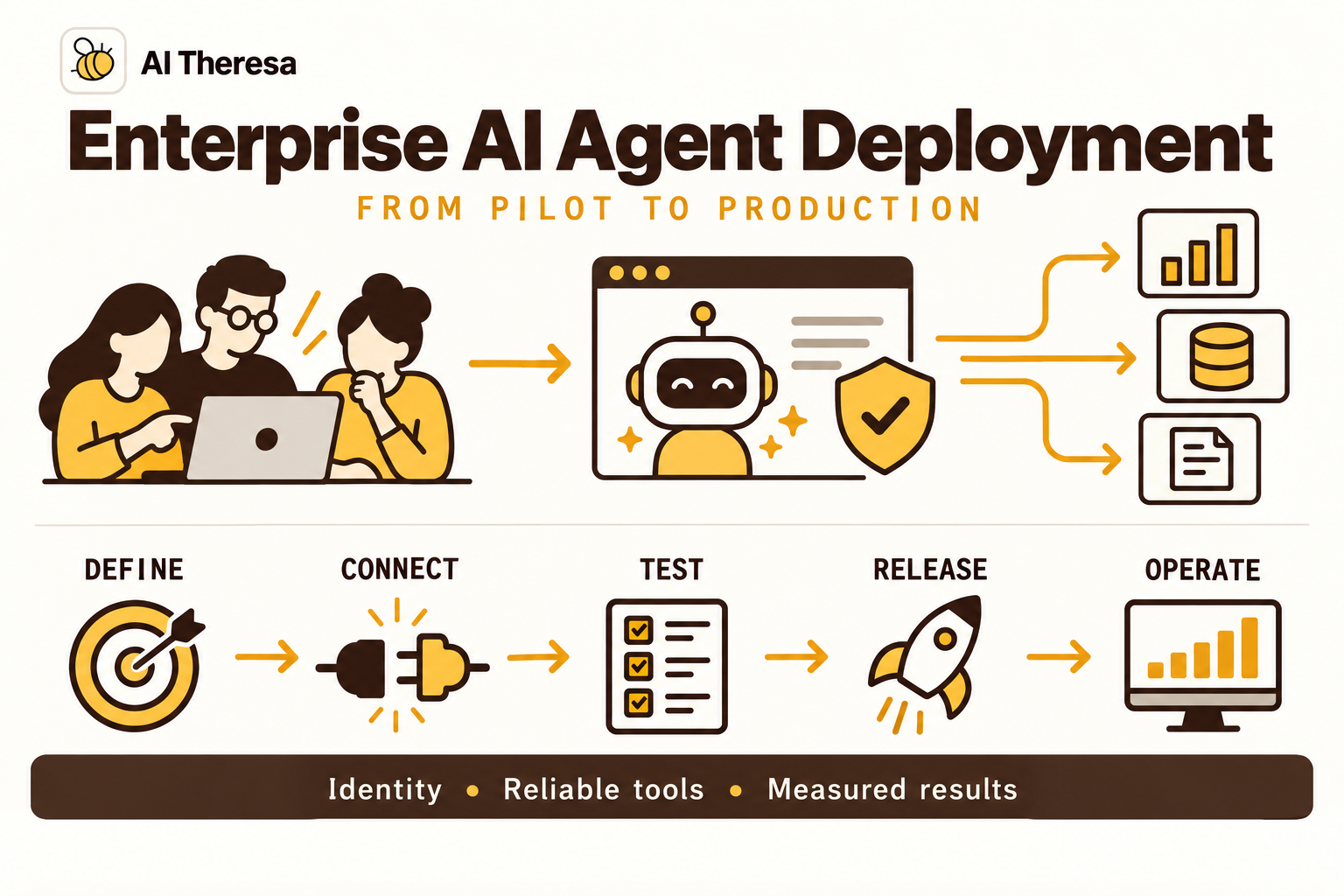
For the production architecture behind these choices, see our guide to enterprise AI agent deployment.
Get Started with Theresa for FREEFinal words
The practical distinction between an AI agent and an LLM is the scope of the system you need. A language model may be enough when the job ends with a useful output. An agent becomes valuable when the job requires selecting actions, checking results, and adapting along the way.
Start with a specific task and a clear completion test. Add tools and autonomy where they improve that result. The goal is dependable work, whether it takes one model call, a fixed workflow, or an agent.