A supplier emails to say a delivery will be late. Someone has to identify the order, check which projects depend on it, find an alternative, and tell the right people. The email rarely arrives in the format your business systems expect.
Agentic workflow automation uses AI to interpret requests like this and choose what to do next. It connects that judgment to tools that retrieve information or perform actions. The useful part is the work completed: an investigated exception, an updated record, or a decision prepared for a colleague.
Building one requires decisions about where the model has discretion, what the software must enforce, and how a person can intervene. This guide explains those choices, the architecture behind them, and examples of where the approach fits.
Quick takeaway: An agentic workflow lets AI choose some of the steps needed to reach a goal. Reliable implementations combine that flexibility with ordinary business rules, limited tool access, and checks that the intended result actually happened.
What Is Agentic Workflow Automation?
Agentic workflow automation is the use of AI agents to move a process toward a defined outcome by selecting actions based on the information available. An agent might investigate a support request, discover that a record is missing, ask for clarification, and then resume the task.
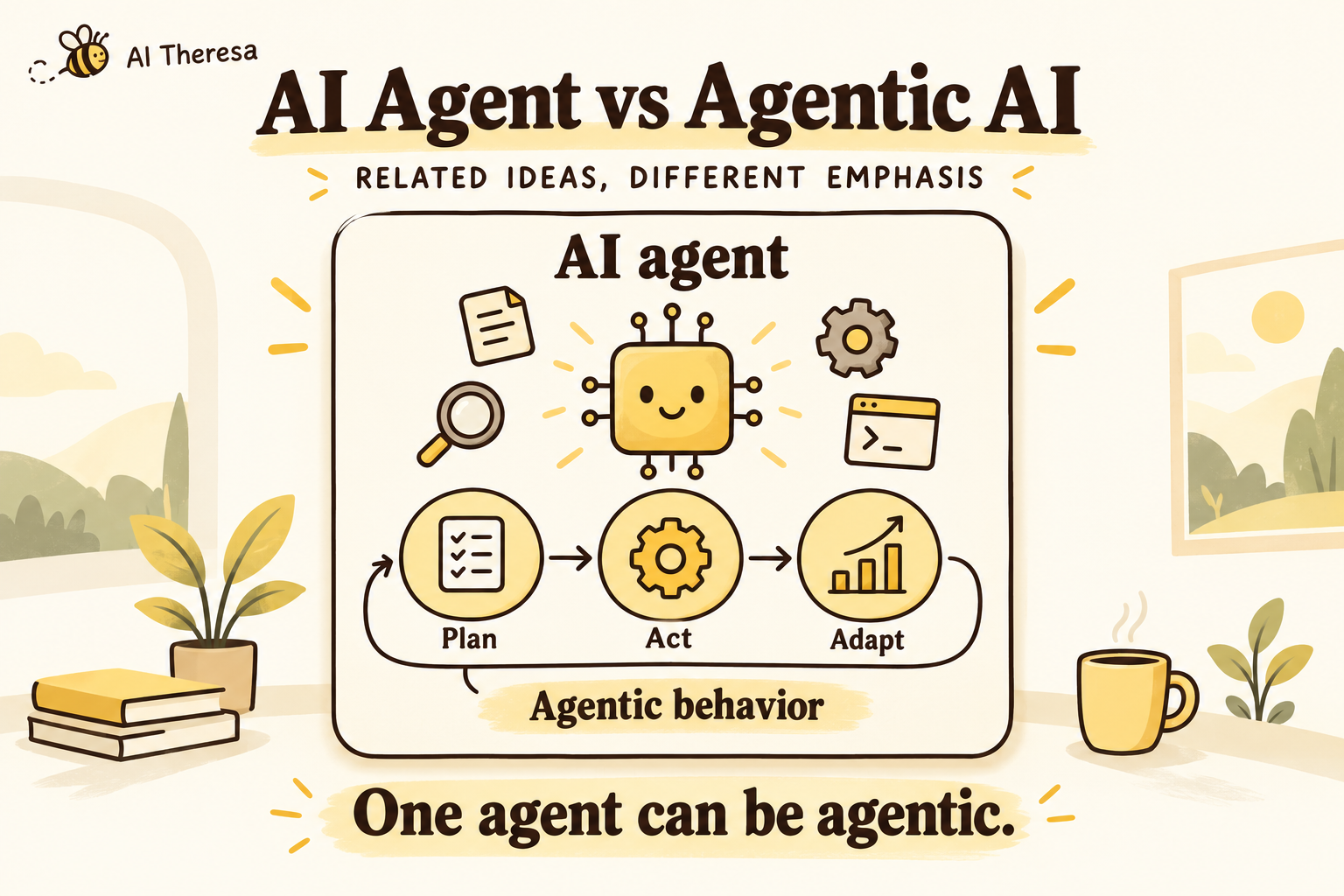
The degree of autonomy varies. A model might choose only which information source to search, while software controls everything that follows. Another system might let it select several tools and change its approach after each result. Both can contain agentic behavior without giving the model unrestricted control.
Anthropic draws a useful distinction between workflows with predefined code paths and agents that dynamically direct their own process. In practice, enterprise applications often combine both.
| Approach | Who chooses the steps? | Example |
|---|---|---|
| Rules-based automation | Code follows configured conditions and branches. | Create a ticket when inventory falls below a threshold. |
| AI-assisted workflow | Code defines the sequence; AI handles a particular task. | Extract fields from an email, validate them, then create a ticket. |
| Agentic workflow | AI chooses some next steps within the application's controls. | Investigate a shortage, look up affected orders, and request missing details before proposing a response. |
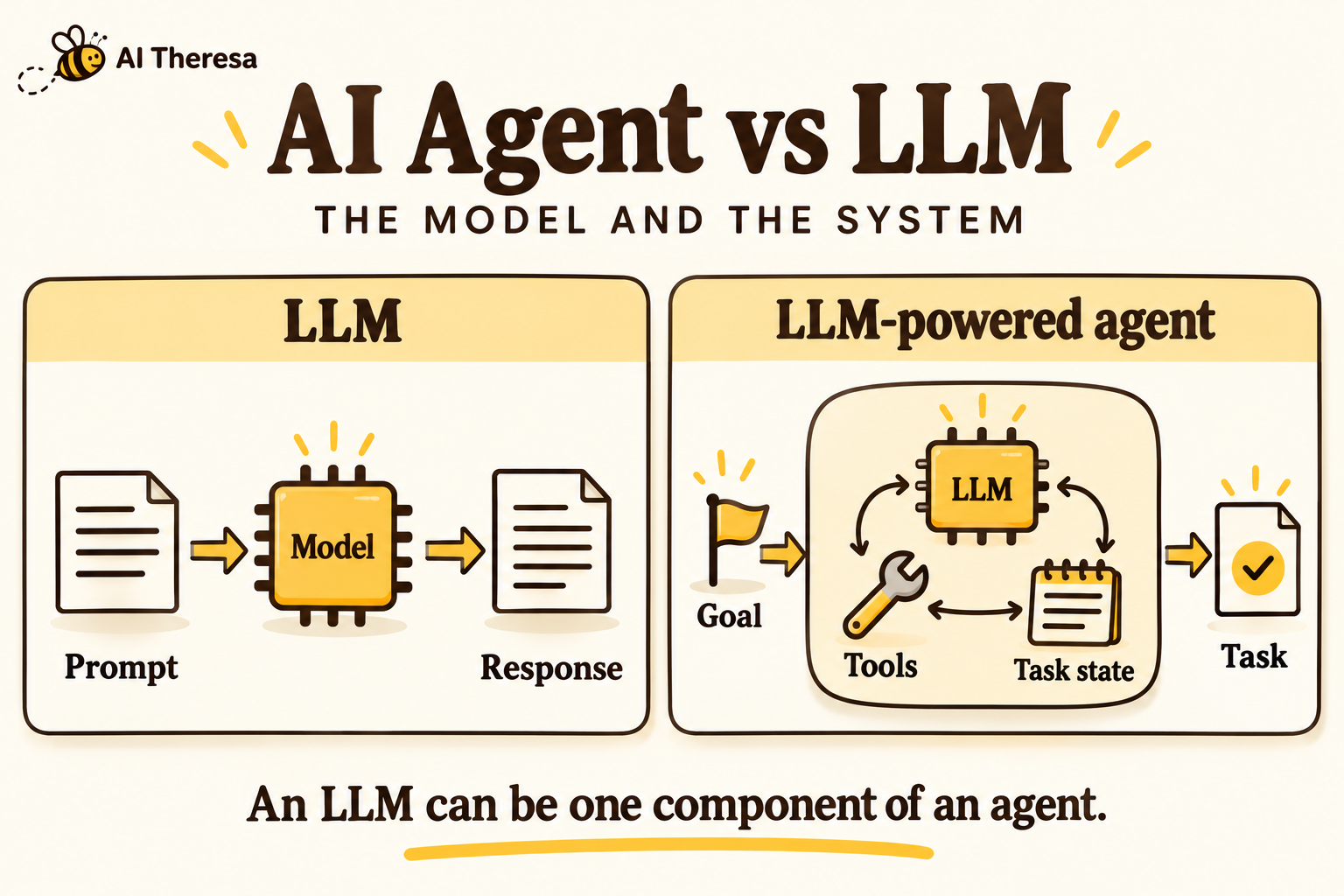
A process does not become agentic simply because it calls a language model. Equally, a conventional workflow can contain sophisticated branching and recovery. The relevant question is whether choosing the next action requires interpreting the situation, and whether giving AI that choice improves the outcome.
If the correct sequence is already known and stable, start with that sequence. Adding an agent introduces another source of variation to test and maintain.
Get Started with Theresa for FREEHow Does Agentic Workflow Automation Work?
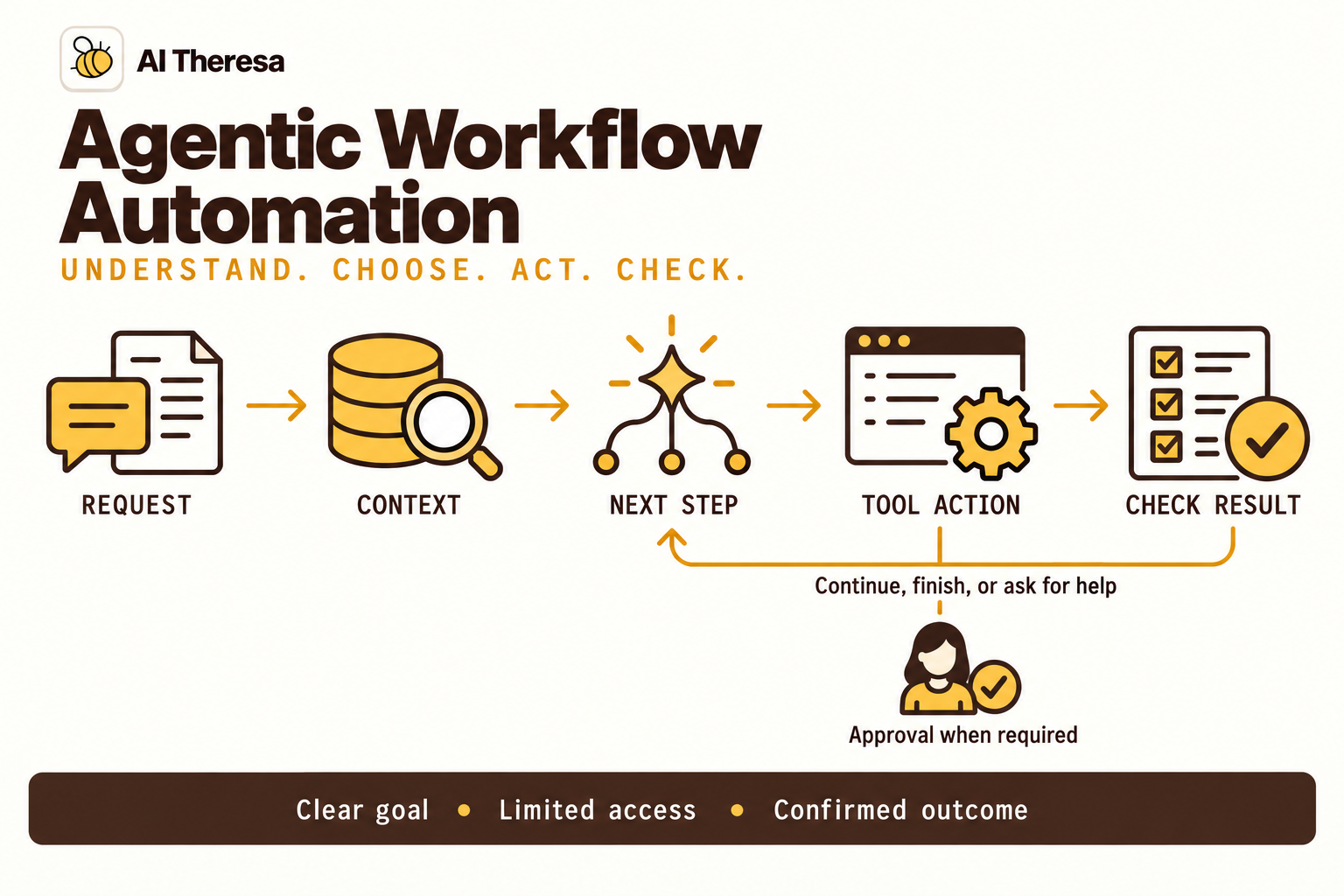
Consider a workflow that helps an operations team investigate delayed deliveries. Its goal is to prepare a verified response for the order owner. Here is how a run could unfold.
1. Receive the request and establish the goal
An incoming email triggers the workflow. The system records the sender, message, and request identifier. The model identifies the delivery issue, while the application establishes which account and records the request is allowed to access.
The goal should describe a finished result: identify the affected order and prepare response options. “Handle supplier problems” leaves too much open to interpretation.
2. Retrieve the relevant context
The agent searches for the order using details in the message. It retrieves the delivery schedule and any linked customer commitments. If two orders could match, it asks for the missing reference instead of selecting one because it looks plausible.
Context may come from documents, databases, or application APIs. A current order status usually belongs in a live system lookup; a searchable policy document answers a different question.
3. Select and execute a next step
After finding the order, the agent might check stock at another warehouse. It requests a specific tool call with structured arguments. The application validates those arguments and checks permissions before executing the request.
The result goes back to the agent. Available stock might lead to a proposed transfer; no stock might lead to a search for a revised delivery date.
4. Check the outcome and finish
The workflow assembles the evidence and proposed response. A person approves any action that requires their authority. After an approved update, the system checks the returned record or receipt and reports what changed.
It also needs a way to stop without completing the task. An unavailable order system, conflicting information, or an exhausted time budget should produce a clear handoff showing what was found and what remains unresolved.
Get Started with Theresa for FREEKey Components of Agentic Workflow Automation
Most implementations need the following components, even when a platform packages several of them together.
A goal and a model
The goal defines the work and its boundaries. The model interprets language, proposes actions, and turns results into a useful response. Its instructions should explain what completion means, when to ask for help, and which decisions fall outside its role.
Model choice depends on the task. Reading a short request and matching it to a known category has different requirements from comparing conflicting technical documents. Test candidate models on actual examples before choosing one for every step.
Context and tools
Context supplies the information needed for a decision. Tools let the workflow interact with other systems. A document search, customer lookup, and ticket update are different capabilities and should have distinct interfaces.
Give each tool a clear description, constrained inputs, and meaningful results. A response such as “success” is difficult to verify. A response containing the updated ticket identifier, status, and timestamp gives the workflow something concrete to check.
Orchestration and saved state
The orchestrator coordinates model calls, tool execution, waits, and termination. State records the current task, relevant findings, completed actions, and pending decisions. It allows a workflow to continue after a pause without starting the investigation again.
For example, LangGraph's persistence system uses checkpoints to save execution state. Production durability still depends on the storage configuration; an in-memory checkpoint does not survive a process restart.
Controls and operational visibility
Permissions determine which records and actions are available. Approval rules identify changes that need a person. Logs record tool requests, results, failures, and the versions of prompts and models used.
Operators need enough information to answer a practical question: why did this case end here? Useful evidence includes the source records retrieved and actions attempted. Recording a model's confident explanation alone does not establish that its decision was correct.
Get Started with Theresa for FREETypes of Agentic Workflows
Different tasks call for different amounts of flexibility. These patterns are useful starting points, rather than a maturity ladder that every team must climb.
Chaining, routing, and parallel work
A chain passes one step's output to another. Routing sends a request to the appropriate handler. Parallel work investigates independent questions at the same time. These patterns can be entirely predefined or include an agent that chooses a route or subtask.
For a delivery investigation, order lookup and warehouse lookup might run concurrently once the relevant identifiers are known. Running both earlier could retrieve the wrong records faster.
Review and revision loops
A workflow can produce an answer, evaluate it, and revise it. Define the review criteria and limit the number of attempts. Otherwise, the system can spend time rewriting an answer without resolving the underlying missing evidence.
Dynamic investigation and multiple agents
A single agent can choose tools repeatedly until it reaches a stopping condition. A coordinating agent can also assign subtasks to other agents. These broad patterns appear in Anthropic's guide to agent design.
Use multiple agents when separate investigations or specialist contexts make the division useful. Two agents reading the same incomplete record can still reach the same wrong conclusion. Splitting the work also creates practical questions: who reconciles conflicting findings, which agent may write to a shared record, and how does the overall task stop?
For a first deployment, one agent with a small set of well-defined tools is usually easier to understand and debug.
Get Started with Theresa for FREEAgentic Workflow Automation Architecture
A workable architecture separates choosing an action from authorizing and executing it. The model proposes a step; application code decides whether that step is valid for the current user and task.
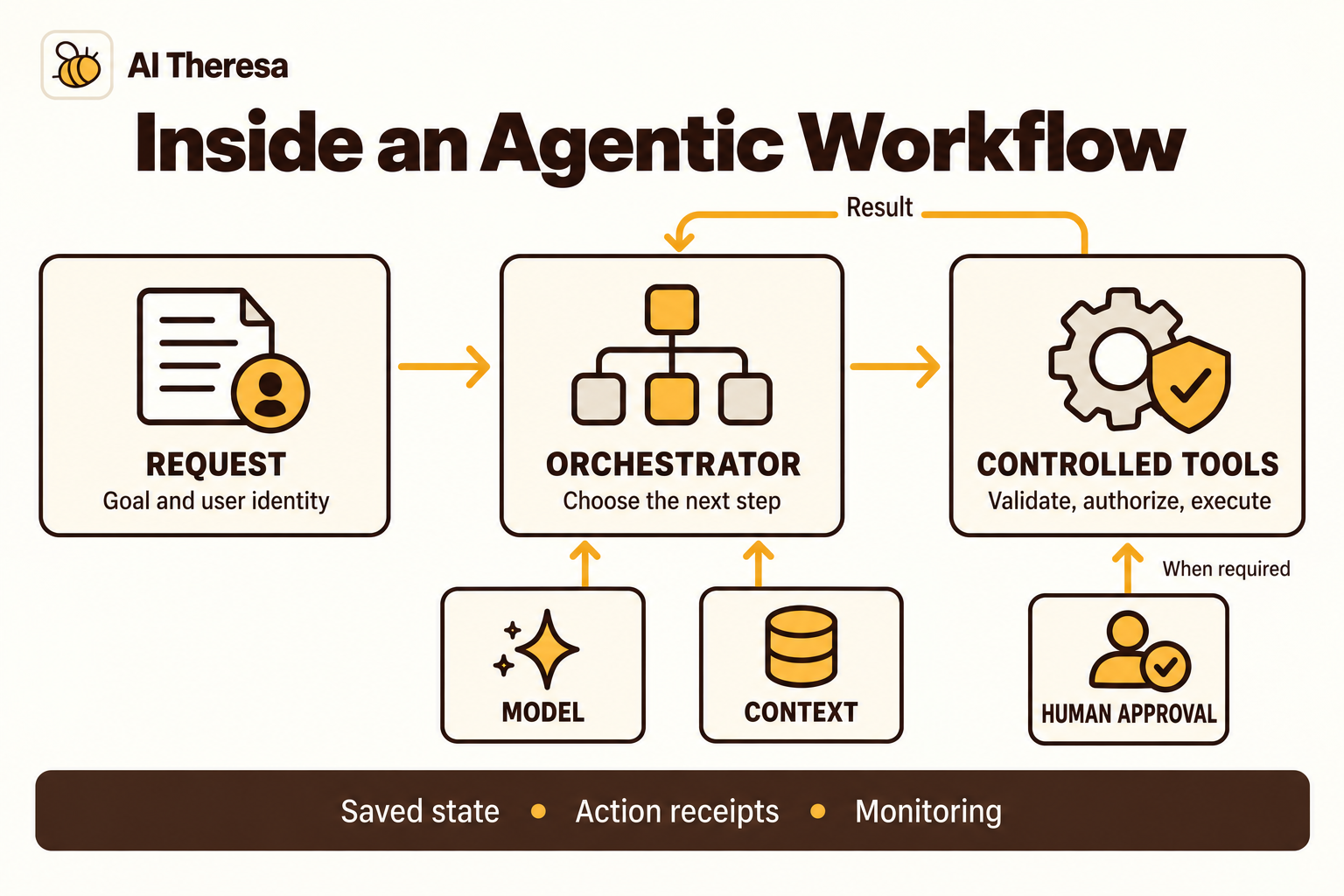
At the entry point, the application authenticates the request and starts a workflow run. The orchestrator retrieves only the context that run needs, calls the model, and passes proposed actions through the tool layer. Results return to the orchestrator, which either continues or finishes.
Keep credentials in the execution layer. A model does not need a database password to request an allowed customer lookup. The tool service can perform that lookup under a restricted identity and return the permitted fields.
Design for pauses and uncertain results
Approval may take hours. An API can time out after applying a change but before returning its response. These situations need explicit handling outside the prompt.
Save the proposed change and the approval decision together. Before applying it, confirm that the underlying record has not changed in a way that invalidates the approval. If an action times out, inspect the destination or use an idempotency key supported by the API before retrying. A saved workflow checkpoint alone cannot prevent a duplicate external action.
Separate task state from long-term memory. The current order identifier belongs to the run; a customer preference stored across runs needs its own retention and access rules. Keeping every previous conversation available indefinitely can introduce irrelevant or outdated context.
Tools worth evaluating
These options solve different parts of the problem. The fit notes below are a starting point for evaluation, not a ranking.
| Tool or platform | Relevant capability | When to evaluate it |
|---|---|---|
| LangGraph | Code-based orchestration for stateful agents, including persistence and human intervention. | Your engineers need direct control over execution and can operate the supporting application. |
| n8n | Connects AI models, agents, tools, and memory within broader automation workflows. | Much of the work involves connecting business applications and coordinating API calls. |
| Microsoft Copilot Studio | Generative orchestration can select tools, knowledge, topics, and other agents. | You want to assess agent development within your Microsoft environment and its administrative controls. |
| Palantir AIP | Combines agents and automations with Ontology context, governance, and evaluation. | The workflow depends on operational data and actions represented in Palantir's platform. |
Evaluate a representative workflow in the environment you would actually deploy. Check connector permissions, pause-and-resume behavior, logging access, and the effort needed to change a tool. A polished demo will not answer those questions for your systems.
Get Started with Theresa for FREEBenefits of Agentic Workflow Automation
The clearest opportunities involve work that repeatedly stops because someone must interpret a request or investigate an exception.
Less time gathering scattered information
A support specialist may open a ticket, search an account history, inspect an error log, and ask another team for context before making a decision. An agent can assemble that material and identify what is missing. Measure whether it reduces investigation time, including the time needed to verify its findings.
Better handling of varied requests
People describe the same issue in different ways. A workflow that can interpret an email or voice note can accept useful information without requiring every employee to fill out a perfectly structured form. Validation still matters once that information becomes a business record.
More continuity across applications
An agentic workflow can carry the request from one system to the next, keeping track of what has already happened. Employees get a completed update or a specific decision to make, rather than another generated answer they must copy into several applications.
More focused human involvement
Preparing evidence before asking for a decision can make a review shorter and more useful. But a queue full of unnecessary approvals can erase that benefit. Track how often reviewers correct the proposal and how long cases wait for them.
Benefits should be assessed against the existing process. Useful measures include completed cases per hour, correction rate, time to resolution, and cost per accepted outcome. Include model calls, integrations, monitoring, and human review in the cost calculation.
Get Started with Theresa for FREEAgentic Workflow Automation Examples
Published deployments often combine AI interpretation with conventional automation and human decisions. The first two examples below come from vendor customer stories; the remaining two illustrate possible implementations.
Support investigation at Oversee
In n8n's Oversee case study, an AI-assisted process gathers information from a case database and produces a structured technical and operational report. Operations staff use that report to decide what to do next. The story also describes requesting reports through Notion in plain language.
This illustrates a useful boundary: automate the investigation and preparation while keeping the next business decision with the team. The case study discusses further automation as a future direction, so it should not be read as evidence of fully autonomous customer support.
WhatsApp requests connected to business records
System AI's work for The Srama Group connects WhatsApp messages to operational systems through n8n. The workflow handles text and voice input, interprets intent, and routes work into lead or property processes. Those processes include checking for existing leads, updating Zoho CRM, and maintaining a Google Sheets property tracker.
The practical lesson is the connection between an informal request and a confirmed system update. Language understanding helps staff express what they need; structured workflows handle the destination records. This is a mixed design, with AI and predefined steps serving different purposes.
Delivery exceptions in procurement
An illustrative procurement workflow could compare a supplier's delay notice with open orders, locate affected commitments, and prepare alternatives for the buyer. It might discover that an apparent shortage is covered by stock elsewhere.
The agent's useful freedom is deciding which information to investigate. Changing quantities, prices, or contractual commitments can remain subject to the buyer's existing approval process. The handoff should include the records behind each option so the buyer can check them quickly.
Internal IT requests
An employee asks for help with an application that will not open. A workflow could identify the application, check service status, retrieve relevant troubleshooting instructions, and inspect permitted account information.
If it finds an outage, it can attach the existing incident to the employee's ticket. If the issue requires an access change, it can prepare the request for the appropriate approver. An agent can help diagnose the problem without being granted authority to expand its own permissions.
Get Started with Theresa for FREEHow to Implement Agentic Workflow Automation
Start with a process you can observe from request to outcome. The first implementation should produce evidence about whether the approach helps your team.
1. Choose a bounded process and record the baseline
Pick a recurring task with accessible data and a recognizable end state. “Investigate delivery exceptions for one warehouse” is easier to evaluate than “automate operations.” Review recent cases with the people who handled them. Record where they spent time and which decisions required experience.
Decide what success means before building. For example, the workflow might need to identify the correct order, cite current stock information, and prepare a usable recommendation. Faster responses that require extensive correction do not meet that goal.
2. Assign discretion step by step
Map the existing process and identify where interpretation is useful. Keep stable calculations and mandatory approval rules in code. Give the agent a small set of tools with clear contracts, and specify when it should request missing information.
Test the underlying integrations independently. If a customer lookup regularly returns stale records, changing the prompt will not fix the source problem.
3. Test realistic cases and failure paths
Build an evaluation set from representative requests, using appropriately handled business data. Include ambiguous names, missing identifiers, conflicting records, unavailable tools, and requests outside the workflow's scope.
Assess the outcome and the actions taken. Did it select the right record? Did it make an unnecessary change? Did it stop appropriately? Repeat important cases because model behavior can vary, and preserve failures as regression examples when you revise the workflow.
4. Enforce access outside the model
Retrieved messages and documents may contain instructions that attempt to redirect an agent. OWASP's prompt injection guidance recommends measures including limited privileges, separation of external content, and approval for high-risk actions.
Treat retrieved content as information to assess. Enforce permissions in the tool service, validate proposed arguments, and keep approval requirements outside the model's discretion. Test whether a malicious document can cause an unauthorized lookup or send. Prompt instructions alone are insufficient protection.
5. Launch with a usable review process
Begin with a limited group of users and inspect completed cases. For proposed writes, let reviewers see the exact change and supporting evidence. Give them a way to correct or reject it without restarting the whole task.
Assign responsibility for failed runs and unanswered approvals. Set limits on runtime, tool calls, and spending. Keep a way to disable automated actions while preserving the team's ability to do the work manually.
6. Expand based on results
Compare the pilot with the baseline. Investigate recurring corrections before adding more tools or departments. Recheck performance when models, prompts, integrations, or business policies change.
If the work spans systems that your team cannot easily connect, forward-deployed engineering as a service can provide implementation capacity. The engagement should leave you with working integrations, evaluation cases, and an operating process your team understands.
Get Started with Theresa for FREEConclusion
Agentic workflow automation is useful when getting work done requires interpreting a situation and choosing the next step. Its value depends on how well those choices connect to accurate information and dependable business actions.
Choose one workflow, define a finished result, and give the agent enough access to achieve it. Keep the parts your team already understands in ordinary software, then measure whether the agent improves the parts that require investigation. A smaller system that reliably resolves real cases gives you a sound basis for deciding what to automate next.